The Security Score card on the Admin Center homepage helps System Admins assess and improve their organization’s security. It assigns weighted scores to the policies and settings you've configured, grouped into four categories: Identity Management, Access Management, Security and Governance, and Advanced Data Security.
USM Content
The security score reflects the current status of your organization's security configuration based on recommended practices and available security features. A higher score indicates a stronger security posture, while a lower score suggests areas needing improvement.
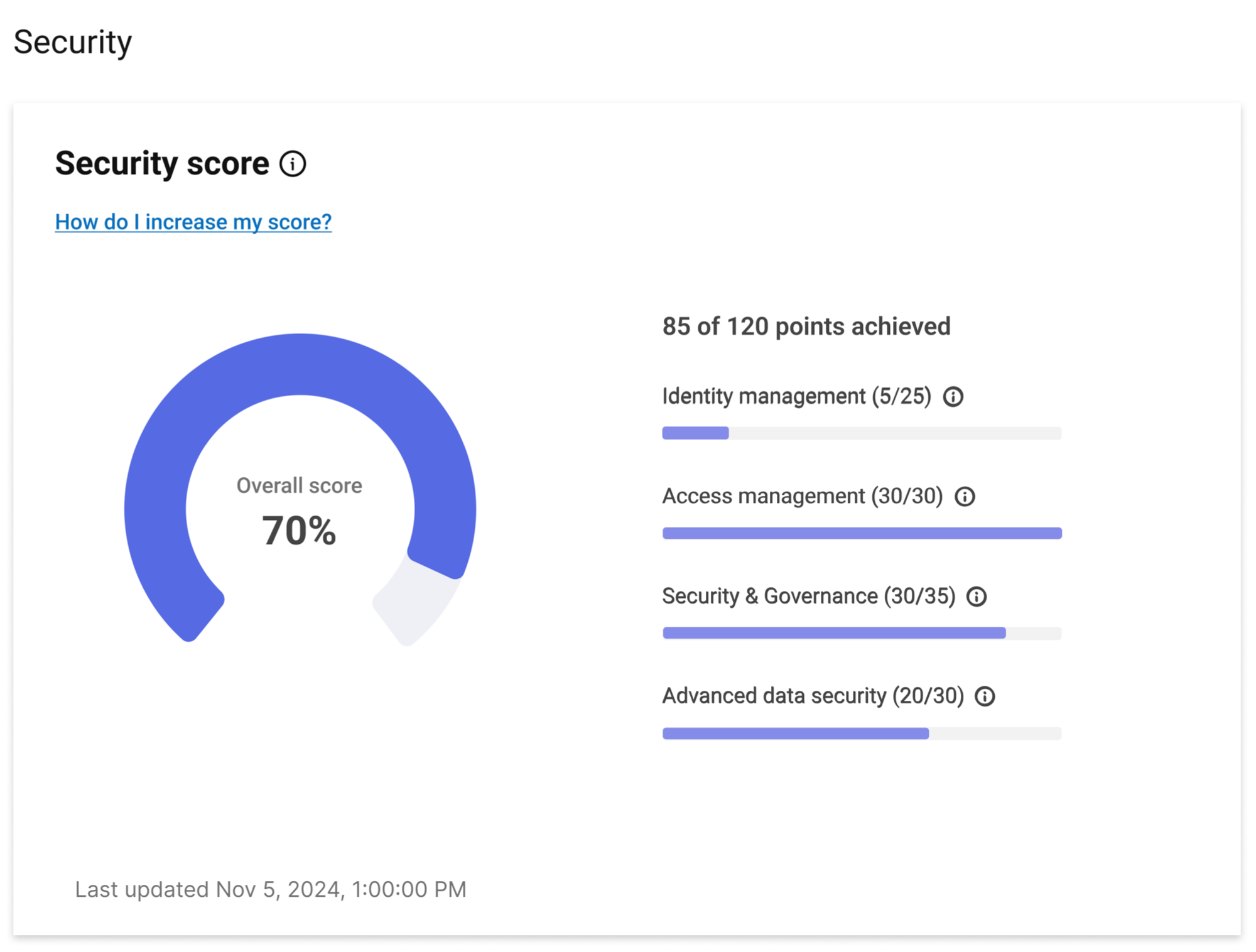
Security score breakdown
The following table shows every capability that contributes to your security score, along with its category, point value, and a short description.
| Capability | Description | Category | Score |
|---|---|---|---|
| Single Sign-On (SSO) or SAML | Secure your user logins | Identity Management | 20 |
| Directory Integration (Entra ID or Okta) | Enable consistent access controls across your company | Identity Management | 15 |
| Safe Sharing | Secure sharing of your items to external users | Access Management | 15 |
Require multi-factor authentication (MFA) for external collaborators | Ensure external users sign in using MFA | Access Management | 10 |
Ensure external users sign in using SSO | Access Management | 5 | |
Ensure API access tokens have an expiration that matches your company policies | Security and Governance | 10 | |
Secure what items can be published and which users can access those items | Security and Governance | 10 | |
Send automated notifications and updates from your organization's domain to increase email credibility and reduce spam filtering | Security and Governance | 5 | |
Enable users to embed security-approved controls in their dashboards | Security and Governance | 5 | |
Control who can trigger and receive automated workflows within a sheet. | Security and Governance | 5 | |
Manage what type of files can be uploaded to your Smartsheet environment | Security and Governance | 5 | |
| Data Egress Policies * | Secure the ability to save or export your items | Advanced Data Security | 15 |
| Event Reporting * | Monitor actions taken by users in your Smartsheet environment | Advanced Data Security | 15 |
Set expiration for content and remove items that are old and past retention periods | Advanced Data Security | 10 |
The 20 points for the SSO or SAML configuration apply when you configure it at the plan level. Learn more about plan-level SAML SSO.
* These policies are part of Smartsheet Safeguard. If Safeguard isn't included in your subscription, those policies don't affect your score. To learn more about Smartsheet Safeguard, contact your Account Manager.
How the score works
The security score reflects the current status of your organization's security configuration based on recommended practices. A higher score indicates a stronger security posture, while a lower score highlights areas where you can improve.
Each capability in the table above receives a weighted score based on its importance and impact. These capabilities fall into four key categories—Identity Management, Access Management, Security and Governance, and Advanced Data Security—that together represent a comprehensive security strategy. By reviewing each category, you can identify and address specific areas to strengthen your organization's overall security.
Increase your security score
To improve your security score, implement the recommended security policies listed in the table in the Security score breakdown section. Once you activate a policy, it automatically contributes to your score.
What does a good score look like?
A "good" score depends on your organization’s unique security requirements and business needs. The security score serves as a guideline, showcasing security policies that can help strengthen your organization's security stance. However, not all policies may be relevant to your specific use case.
Your goal should be to achieve the highest score that aligns with your organization’s needs and risk tolerance. Reaching 100% is not always necessary and should be a decision made collaboratively by your security personnel and business stakeholders.
Best practices and recommendations
Understand what's acceptable in your company
The security score provides a framework for assessing the available security controls in the Admin Center. It’s a starting point for evaluating how secure your users, items, and workflows are. Achieving less than 100% may be acceptable based on your company’s risk profile and operational priorities.
Evaluate your data sharing tolerance
Smartsheet simplifies collaboration by allowing users to share their items with anyone who has an email address. If you prefer to restrict sharing to within your organization, you can enable the Safe Sharing policy and create an allow list for approved collaborators. Enabling Safe Sharing contributes 15 points to your Access Management score.
To further enhance security, you can activate Require work accounts with SSO and Require MFA for your items. These policies ensure that any external collaborator must sign in to Smartsheet using SSO and MFA before gaining access to your items.
Together, these two policies contribute up to 15 additional points to your Access Management score.