USM Content
Edit assets
USM Content
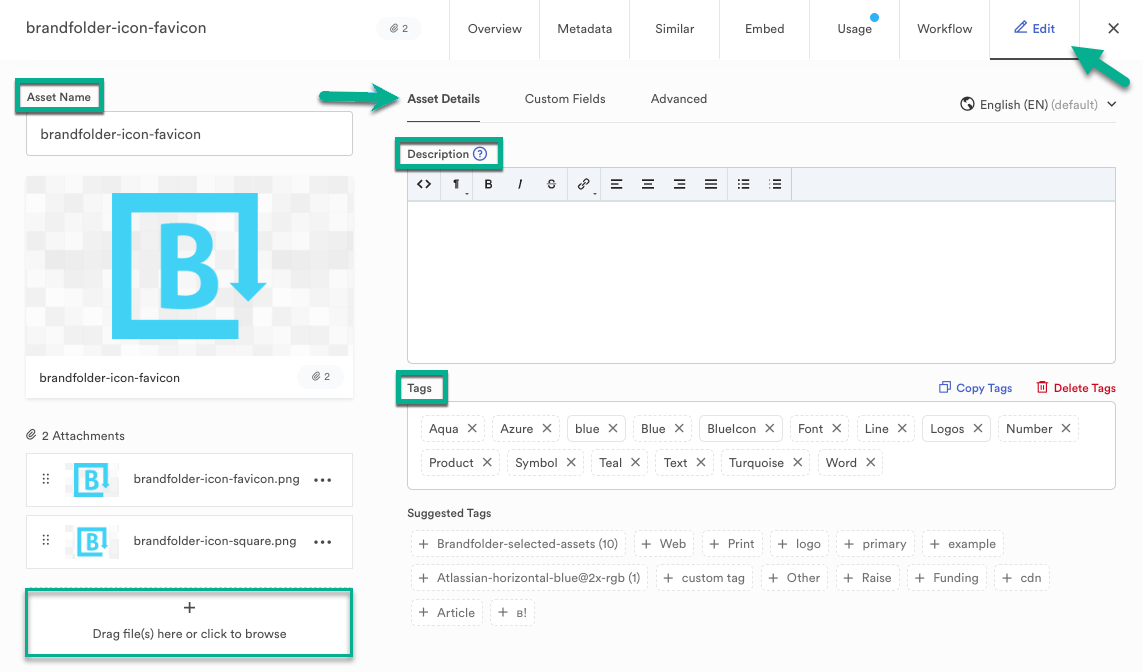
Easily edit individual assets in Brandfolder by selecting an asset and navigating to the Edit tab.
You can edit asset details, custom fields, and other advanced options, or add new attachments using the uploader box on the bottom left side of the modal.
Under Asset Details, you find several editable fields/items listed here, such as:
- Asset Name
Asset Names must not exceed 255 characters. Doing so will produce an error.
- Description
- Tags
Under Custom Fields, you can attribute any custom fields you set up for your Brandfolder for this particular asset.
Under Advanced, you find several editable fields/items listed, such as:
The recommended dimensions for the custom thumbnails are 375px X 160px.
- Custom Watermark
- 360 Viewer
- Asset Background Color
The Default for the Asset Background Color is gray and white checkerboard (transparent) or white, or you can pick your hex color.