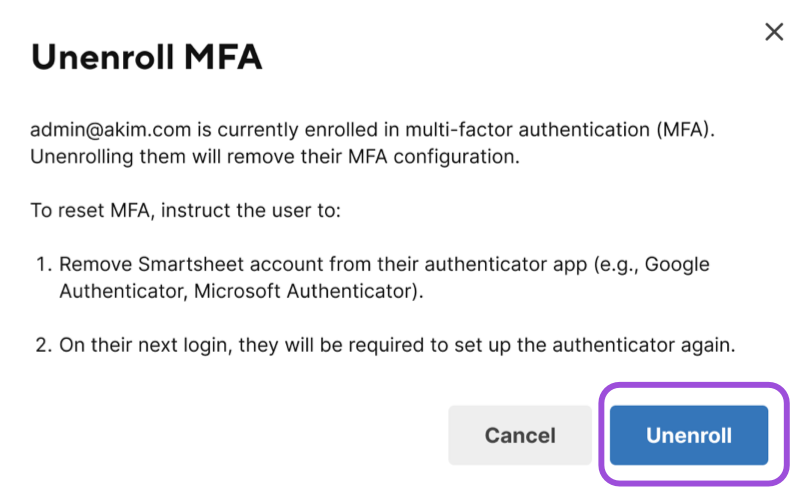
Reset a user's authenticator app enrollment so they can set up multi-factor authentication (MFA) again on a new device. Use this when a user loses their device or can't access their authenticator app.
USM Content
Not a System Admin? If you're having trouble with your own authenticator app and don't have access to Admin Center, see Troubleshoot the authenticator app. If you still can't sign in, contact Smartsheet Support for help.
Behavior
- This action clears the stored MFA enrollment for the user. At their next sign-in, the user must complete the one-time authenticator app setup again.
- The reset action only appears if the user is currently enrolled in MFA.
- This reset doesn’t affect any other sign-in methods, such as email and password or time-based one-time passcode (TOTP).
Reset authenticator app enrollment for a user
- Go to Admin Center and select the Menu icon in the upper left.
Navigate to Users and Groups > Seat Types and True-Up.
The Seat types and true-up page displays.
In the user's row, select the kebab
 icon, then select Edit user.Brandfolder Image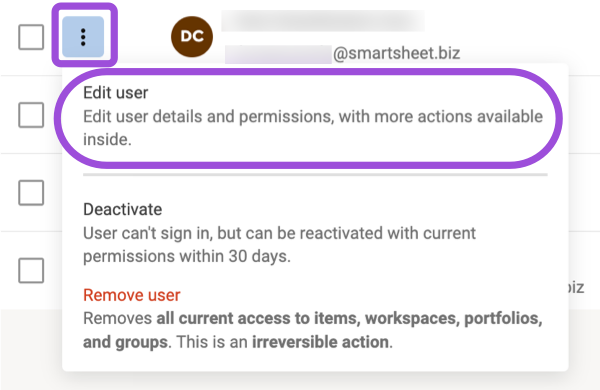
The Edit user panel opens.
Select More actions > Manage MFA enrollment.
Brandfolder Image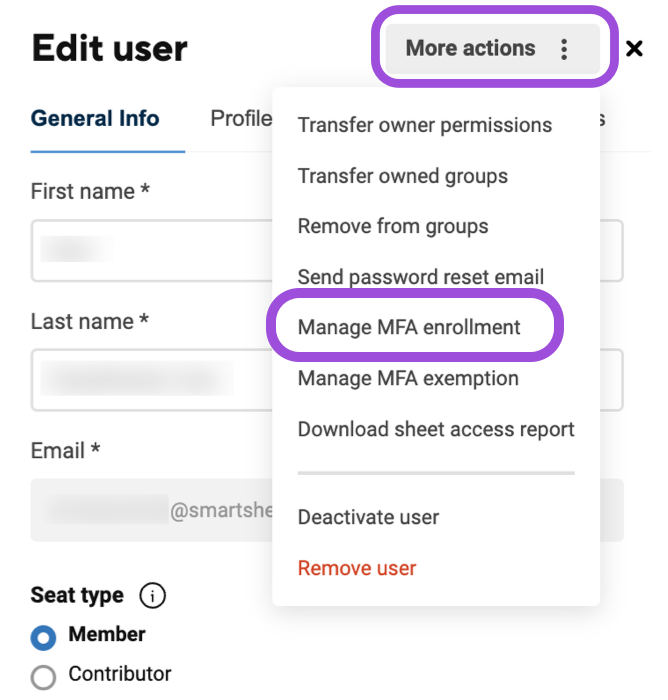
Admin Center checks the user's current enrollment status.
- Select Unenroll to confirm.
A confirmation message displays, and the user must re-enroll in MFA at their next sign-in.
If the user isn't currently enrolled in MFA, Admin Center tells you there's nothing to unenroll.
If the action fails, Admin Center shows an error message and doesn't change the user's MFA enrollment. Try again later.
LCM Content
Not a System Admin? If you're having trouble with your own authenticator app and don't have access to Admin Center, see Troubleshoot the authenticator app. If you still can't sign in, contact Smartsheet Support for help.
Behavior
- This action clears the stored MFA enrollment for the user. At their next sign-in, the user must complete the one-time authenticator app setup again.
- The reset action only appears if the user is currently enrolled in MFA.
- This reset doesn’t affect any other sign-in methods, such as email and password or time-based one-time passcode (TOTP).
Reset authenticator app enrollment for a user
- Go to Admin Center and select the Menu icon in the upper left.
- Navigate to Users and Groups > User Roles and Reports.
- Find the user whose MFA enrollment you want to reset and select the kebab
 menu on the right of the row.
 Select Manage MFA Enrollment.
Brandfolder Image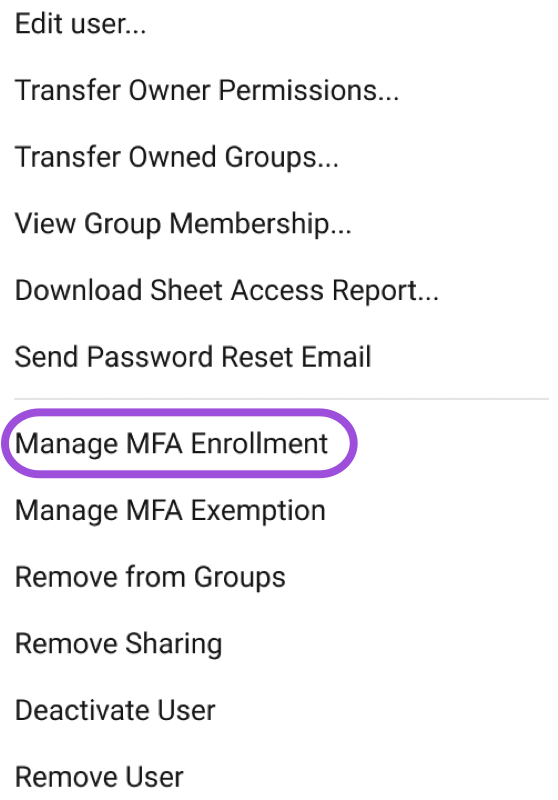
Select Unenroll to confirm the action.
Brandfolder Image