Learn how to exclude specific users from the authenticator app multi-factor authentication (MFA) enforcement.
USM Content
Exempt individual users from enforced authenticator app multi-factor authentication (MFA) to accommodate edge cases, such as compliance challenges. This overrides domain- or plan-level MFA enforcement only for the selected user.
Exemption controls display only when you enforce MFA at the domain or plan level. Learn more in Manage authenticator app MFA enforcement.
Behavior
- Exempted users don't receive prompts for setting up an authenticator app or for a second factor during sign-in.
- System Admins can apply or remove exemptions for each user when needed.
Exempt a user from authenticator app MFA
- Go to Admin Center and select the Menu icon in the upper left.
- Navigate to Users and Groups > Seat Types and True-Up.
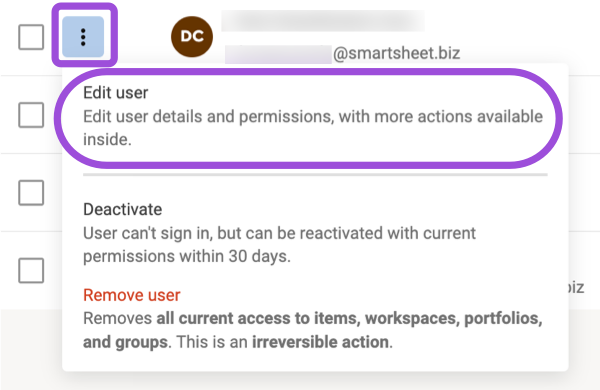
In the user's row, select the kebab
 icon, then select Edit user.Brandfolder Image
The Edit user panel opens.
Select More actions > Manage MFA exemption.
Brandfolder Image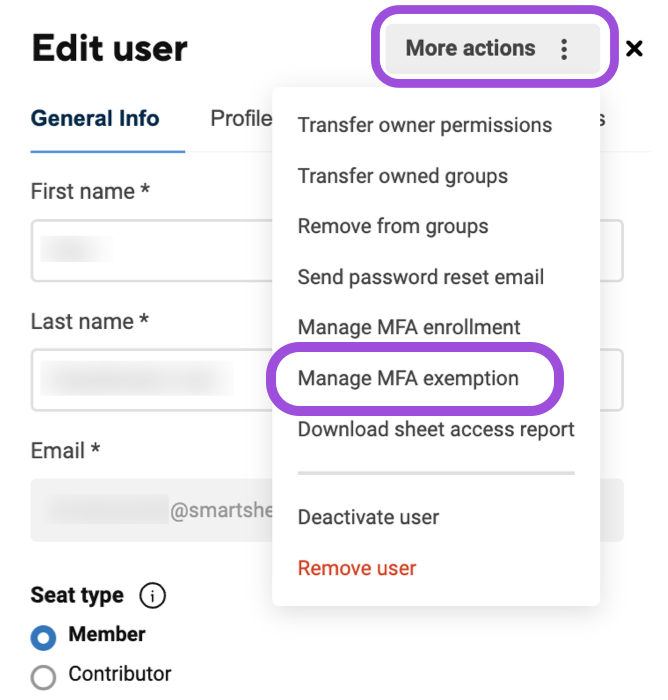
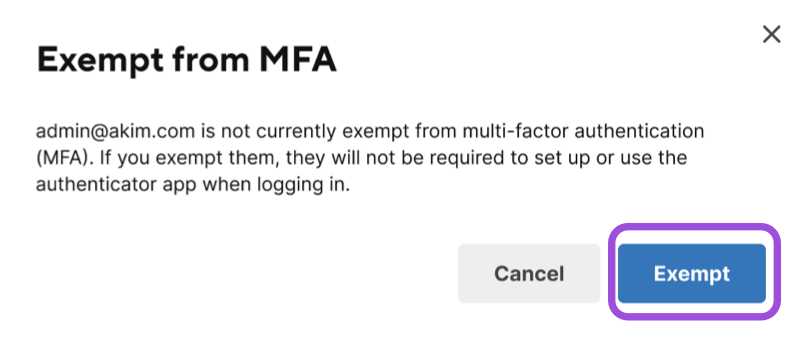
Admin Center checks the user's current exemption status.
- Select Exempt to confirm.
A confirmation message displays, and the user is now exempt from MFA.
Remove an existing exemption
- Follow steps 1–4 above for the exempted user. Because the user is already exempt, the dialog reads Remove MFA exemption instead of Exempt from MFA.
- Select Remove to confirm.
A confirmation message displays, and the user is no longer exempt from MFA.
If the action fails, Admin Center shows an error message and doesn't change the user's exemption status. Try again later.
LCM Content
As a System Admin, you can exempt individual users from the enforced authenticator app MFA policy to accommodate edge cases, such as users with specific compliance challenges. You can manage these exemptions via the User Roles and Reports page in Admin Center.
Behavior
- Exempted users don’t receive prompts for setting up an authenticator app or for a second factor during sign-in.
- This exemption overrides domain- or plan-level MFA enforcement for the selected users.
- System Admins can apply or remove exemptions for each user when needed.
Visibility
Exemption controls display only when you enforce MFA at the domain or plan level.
Exempt specific users from authenticator app MFA
- Go to Admin Center and select the Menu icon in the upper left.
- Navigate to Users and Groups > User Roles and Reports.
- Identify the user you want to exclude from enforcement and select the kebab menu
 on the right side of the row.
Select Manage MFA Exemption.
Brandfolder Image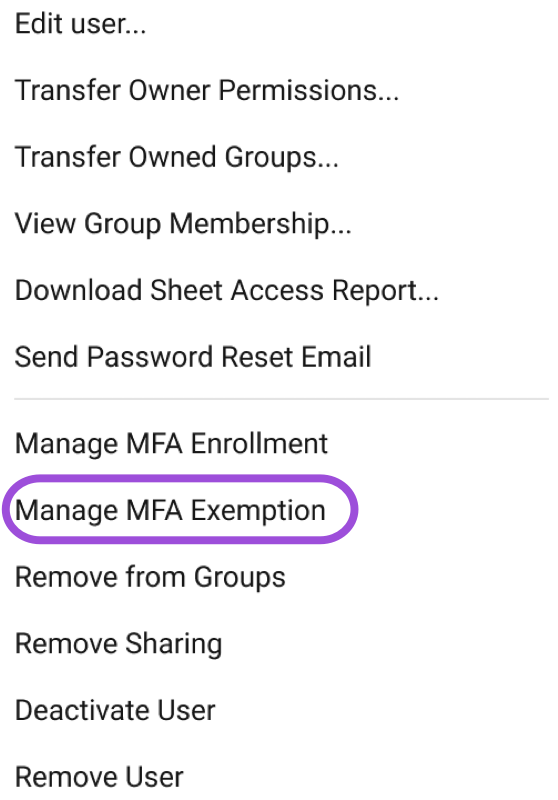
Select Exempt to confirm the action.
Brandfolder Image