The API page in Admin Center gives System Admins a clear picture of API activity across their organization, such as who holds API tokens, what endpoints they're calling, and how often.
USM Content
This feature is temporarily unavailable.
APIs play a big role in how organizations use Smartsheet: from automations and integrations to service accounts and custom workflows. The API section in Admin Center gives System Admins direct visibility into that activity, so they can see who holds API tokens, what endpoints their organization depends on, and how heavily those endpoints get used.
That visibility matters for everyday governance: tracking active credentials, monitoring service account activity, and understanding your organization's API footprint. It also helps when Smartsheet deprecates an API, as System Admins can quickly identify affected endpoints and the people they need to reach out to.
Access the API page
- Sign in to Admin Center.
- Select the Menu icon in the upper-left corner.
- Navigate to API.
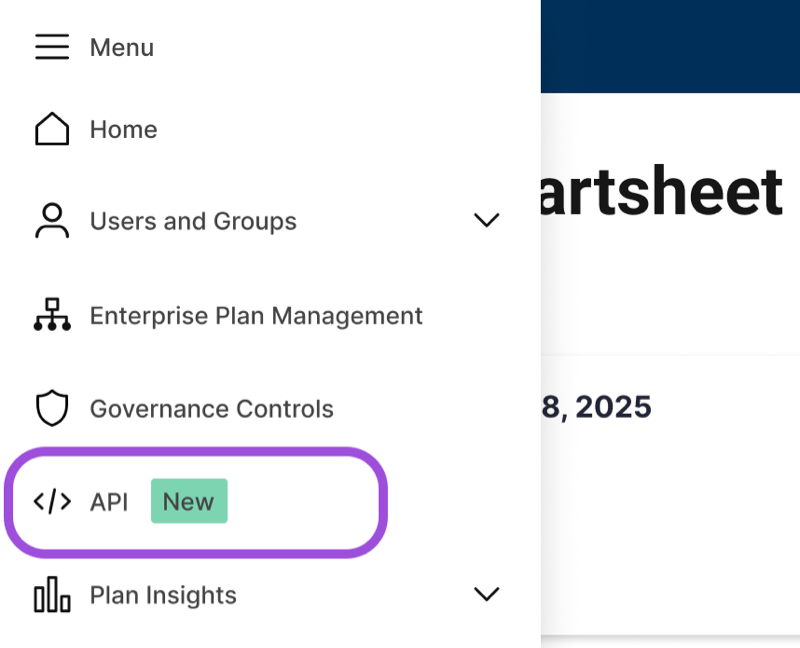
The API page displays two tabs: Endpoints and API users.
Endpoints tab
The Endpoints tab lists every Smartsheet API endpoint called within your organization over the last 30 days. Each row shows the endpoint name and the total number of calls made during that period.
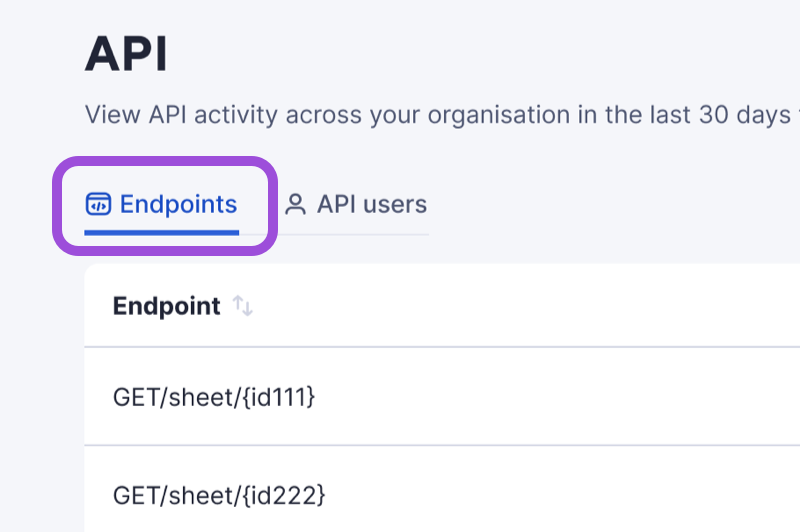
Select any endpoint to open a detail panel on the right. The panel lists every user who called that endpoint, along with their individual call counts.
Use this tab to:
- Identify which Smartsheet APIs your organization actively depends on
- Assess the impact of upcoming API deprecations
- See which users call a specific endpoint and how often
API users tab
The API users tab shows every user in your organization who holds an active API token used in the last 30 days.
Select any user to open a detail panel on the right. The panel lists every endpoint that user called, along with their call count per endpoint.
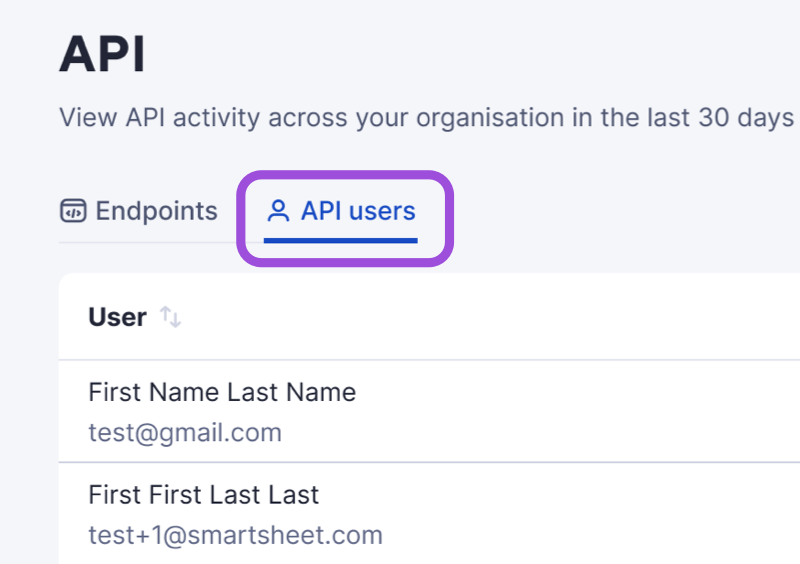
Use this tab to:
- Identify who holds API credentials in your organization
- See which endpoints a specific user calls and how often
- Track activity for service accounts and individual contributors
- Determine who to contact when an API deprecation or policy change affects your plan
Download the report
You can download the API users' data as a CSV file for further analysis or to share with your leadership team.
- Navigate to the API users tab.
- Select the Download users as CSV icon (shown in the screenshot below) or Download user activity at the bottom left of the right panel.
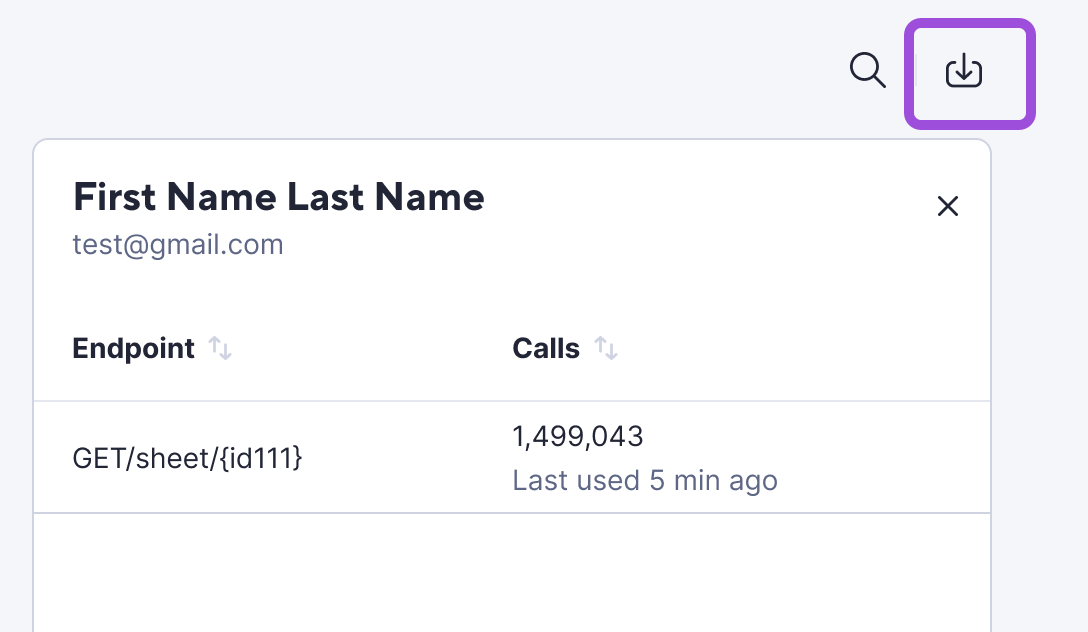
What data is included
All data in the API page reflects activity from the last 30 days and refreshes daily. Keep the following in mind:
- Smartsheet APIs only: The API section covers Smartsheet API endpoints. It doesn't include Brandfolder or Resource Management API activity.
- User-generated tokens only: The data reflects tokens generated by individual users, not OAuth tokens.
- Active users only: Deactivated or removed users don't appear in the data.
- Per-plan scope: The data covers activity within a single plan. It doesn't provide cross-plan or cross-organization visibility.
- Call counts only: The API section shows which endpoints received calls and how many. It doesn't expose request payloads, query parameters, schemas, or error details.
What's not included
Behavior | Details |
|---|---|
View-only | System Admins can review API data, but can't revoke tokens or manage API access directly through this interface. |
No real-time monitoring | The data refreshes daily. It doesn't provide real-time monitoring or alerting. |
No request-level detail | The API section shows endpoint-level call counts. It doesn't surface payloads, schemas, or error information. |
Plan-level only | The data applies to a single plan. Parent plans can't pull data from child plans. |
Smartsheet APIs only | Brandfolder and Resource Management API activity doesn't appear in this section. |