Access personalized learning content and support directly within Smartsheet.
USM Content
The in-app Help and learning center offers a seamless experience within Smartsheet by providing:
- Tailored learning content.
- Support resources.
- AI assistance.
Access the in-app help and learning center
Smartsheet app
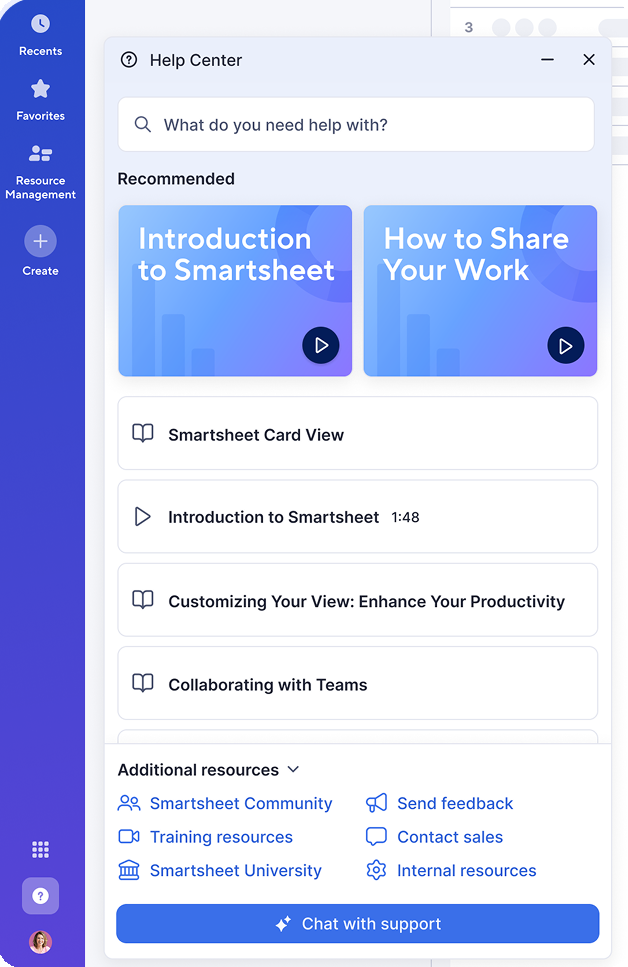
Select the
 Help icon on the left navigation bar. This opens the in-app Help and learning center, which contains direct access to:
- Videos
- Help articles
- Learning tracks
- Additional resources
- Chat with support
Currently, the Help and learning center is only available in English.
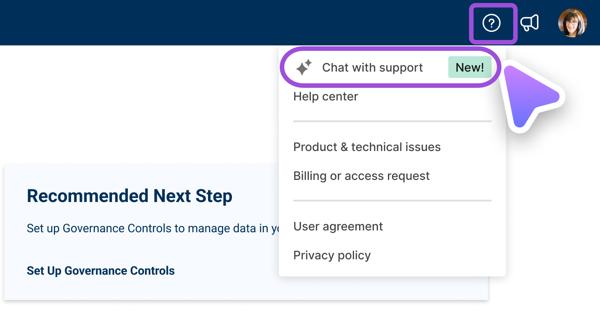
Admin Center
In Admin Center, select the Help icon in the top-right corner, then select the Chat with support menu item. This opens a panel where you can ask questions.
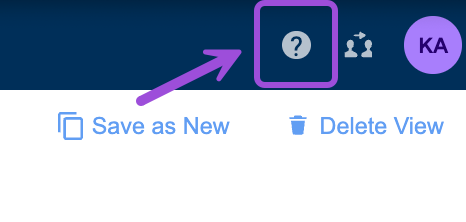
Dynamic View
In Dynamic View, you can find the Help icon in the upper-right corner of your Dynamic View.
Personalize your experience
The Help and learning Center personalizes the content based on the Smartsheet item you’re currently viewing. For example, if you're viewing a dashboard, you’ll receive help content about dashboards.
Move and resize it anywhere on the screen so it stays open as you work on your Smartsheet items. To search for additional topics, use the search bar at the top of the Help and learning center.
The Help and learning center isn’t available in Resource Management or the Brandfolder App.
Chat with support
If you need additional support, select Chat with support to get instant AI assistance. Here, you can ask questions and receive answers generated from help articles without leaving Smartsheet and, if needed, get transferred to the support team at any time.
AI assistance is also available in Admin Center to help System Admins with setup and administration. This tool provides in-app support, answers informational questions, and helps with administrative tasks. However, if you require further assistance, you can always request a transfer to the Support team.
The options to contact support vary depending on your plan. See Get online Help and support.
How to use Chat with support
While the tool can’t create solutions for you, it can help you understand how to create them yourself. Use it to get unstuck or figure out your next step.
Make your questions or prompts as specific as possible.
These are sample questions you can ask:
- How do I create a workspace?
- Help me with a project plan
- How do I share a sheet?
- How can I use Smartsheet to manage a construction project?
- Submit a Support case