Applies to
Create a program with Smartsheet Control Center
Create your own programs in Control Center and access unlimited programs and blueprints.
You must be on an Advance plan to access this feature with unlimited programs and blueprints in Control Center.
Log in directly to Control Center and create programs with the starter program and blueprint template.
Create your first program
- Log in to Control Center.
- Open the left panel and select New Program.
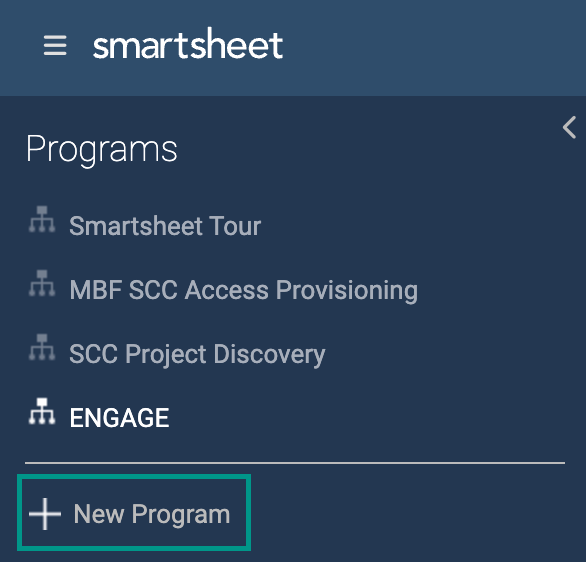
You now have access to the starter program and blueprint. This includes an intake sheet, pre-configured profile data, and an example project toolkit.
The following panel appears for you to populate the initial program details:
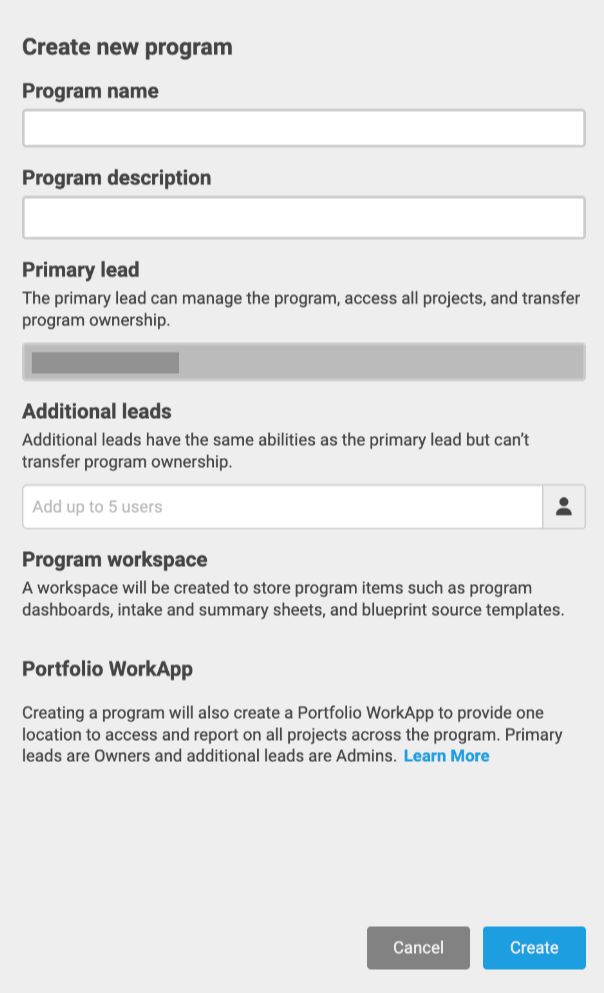
- Select Save to create a new program.
Once created, the system redirects you to your new program.
FAQs
Can I create more than one program?
If you’re on an Advance plan, you have unlimited Control Center programs, so create as many as you would like!
How can I delete a program?
You need to submit a support request to delete a program.
How do I transfer a program to a new owner?
Make sure the new owner meets the necessary prerequisites. Then, follow these steps to transfer the program.
Can I copy or duplicate a program like with blueprints?
This feature is currently not supported, but we encourage you to submit your feedback and all your ideas to improve our product.
Who can create a program? Only System Admins or any paid user?
Any paid user on an Advance plan can create a program.