Applies to
Smartsheet
- Pro
- Business
- Enterprise
Work with multiple people on a sheet at the same time
When multiple people are working on the same sheet, you'll always be aware. Here's what you'll see in Smartsheet so that you know who you're working with and whether they've made changes:
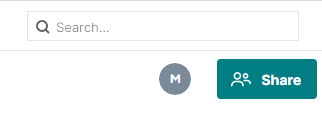
- Active Faces (next to the Sharing button). The active faces images (or icon if the profile has no photo) alerts you others are viewing or working on the sheet. Click the icon to review the contact info for the people who are viewing or working on the sheet.
- A pop-up message. Some actions will trigger a pop-up message at the top of the Smartsheet window. For example, a message will appear when you open a sheet that someone else is viewing or working on (other collaborators will see a similar message if they open a sheet that you also have open).
When you see the pop-up message alerting you that another collaborator has saved changes to the sheet, click Refresh. (If you have unsaved changes, the application will prompt you to Save them first. Upon refreshing, you should be able to see the changes you just made and any changes others have saved.)
If you want to see what others changed in a sheet, you can do that with the Highlight Changes feature. Highlight Changes will apply a background color to cells that have been changed. For more information, see Highlight changes.
What happens when two people change information in the same cell?
If two people change information in the same cell at roughly the same time, the last saved change will be displayed in the cell.
A record of all changes will be available via cell history. To view changes, right-click the cell (Ctrl+click on a Mac) and select View History.