Advanced Portfolios provides you with tools that keep your projects consistent and roll up their data for reporting. Use it when your team runs the same kind of work repeatedly, across multiple teams or locations.
USM Content

What is Advanced Portfolios?
Advanced Portfolios is a version of Portfolios built for teams that run many similar projects and need each one held to the same standard.
In a Portfolio, a project is any repeatable body of work, such as a rollout, a site opening, an audit cycle, or a client implementation. You define the work once in a project template, track every project as a row in the project list, and create each project from that template.
What does Advanced Portfolios add to Portfolios?
Advanced Portfolios adds three capabilities to everything Portfolios already does:
- Publish: Update a project template once, then push the change to every project already created from it.
- Linked Summary fields: Link values from the project list into the sheet summary of your project items. When a value changes in the project list, the linked field updates automatically.
- Portfolio summary: Aggregate Summary field data from every project in a read-only sheet that has one row per project. Use it as the source for portfolio-level reports and dashboards.
How do you access Advanced Portfolios?
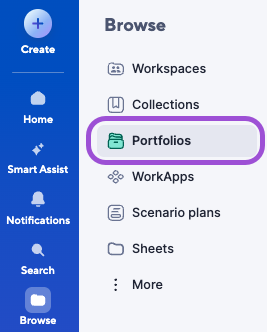
To find a Portfolio, use global search or the Portfolios tab in Browse.
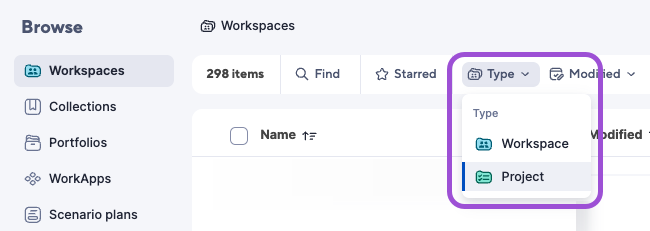
To find a project, use global search or the Workspaces tab in Browse, filtered to Project.
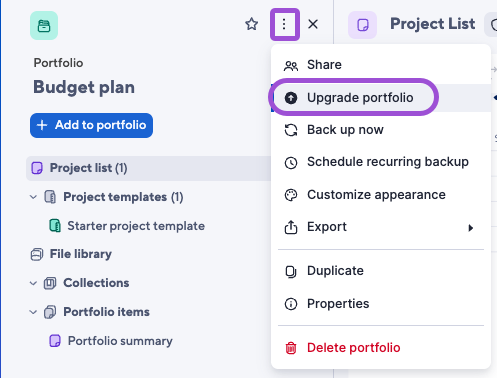
If you create a Portfolio in an Advanced Work Management plan, it's an Advanced Portfolio automatically. In other plans, a Portfolio Owner or Admin upgrades a Portfolio using the Upgrade portfolio option in the Portfolio menu.
Creating an Advanced Portfolio counts towards your portfolio limit. If you've purchased a single portfolio allocation, you may create only one Advanced Portfolio.
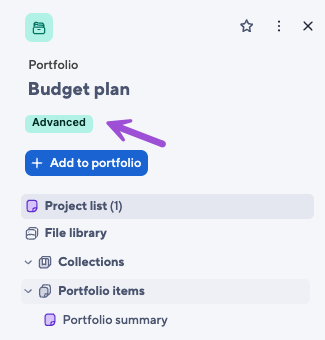
Advanced Portfolios display an Advanced chip under the Portfolio name.
Who can do what in a Portfolio?
People you share to an Advanced Portfolio can use its advanced features, regardless of their own plan.
Permissions depend on a person's role in the Portfolio:
Owners and Admins | Editors | Commenters and Viewers |
|---|---|---|
|
|
|
When should you use Advanced Portfolios?
Advanced Portfolios works best for recurring work with these characteristics:
- The work repeats across more than one team or location.
- Each type of project follows a consistent structure, so one Project template can represent the standard.
- You want to report on all projects from a single, consolidated data set.
You might be ready for Advanced Portfolios if you:
- Manage more than 30 active projects in a Portfolio.
- Use more than one Project template in a Portfolio.
- Maintain cross-sheet formulas or cell links off the Project list.
- Build a summary sheet by hand to roll up project data.
- Copy template changes into live projects one at a time.
What doesn't Advanced Portfolios support?
Advanced Portfolios isn't designed for a single, one-off project. These limitations also apply:
- You can't publish changes to a subset of projects. If some projects need a different standard, create a separate Project template for them.
- You can't use optional templates. Use separate Project templates when projects follow different methods.
- Advanced Portfolios doesn't support multi-tier portfolios, native Resource Management integration, or Portfolio WorkApps.