Allow specific managed plans to customize select policies while keeping others centrally enforced.
USM Content
By default, managed plans inherit all EPM-governed policies from the main plan and can’t change them. If a managed plan has a business need to customize a specific policy, the main plan System Admin can grant that plan override permission for eligible policies.
Which policies can be overridden?
Eligible for override
- Publishing controls
- External Collaborator SSO (EC-SSO)
- External Collaborator MFA (EC-MFA)
- Safe sharing
- Web content widget
Centrally enforced (no override)
- Authentication
- Domain management
- UAP
Safe sharing, EC-SSO, and EC-MFA share the same policy sheet. When you enable override for Safe sharing, all three are overridden simultaneously. You can’t grant an override for one without the others.
Configure policy overrides for a managed plan
- In Admin Center, navigate to Menu > Enterprise Plan Management.
Select the kebab menu ⋮ > Configure policy overrides.
Brandfolder Image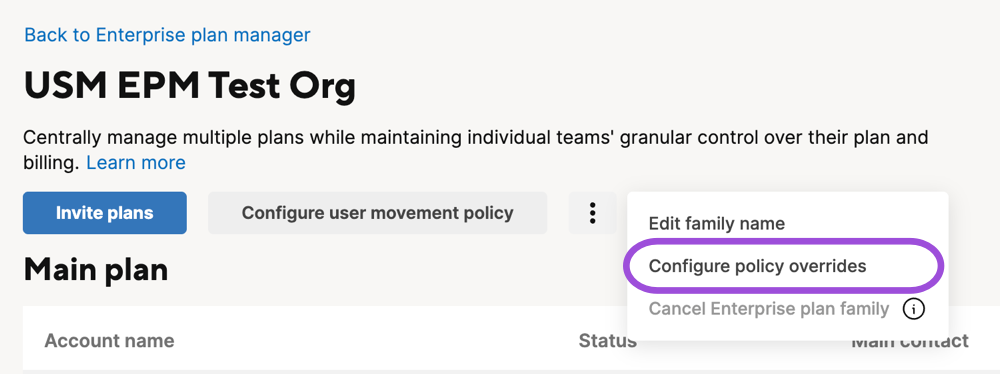
For each eligible policy, find the managed plan you want to configure and toggle whether that managed plan can override it.
Brandfolder Image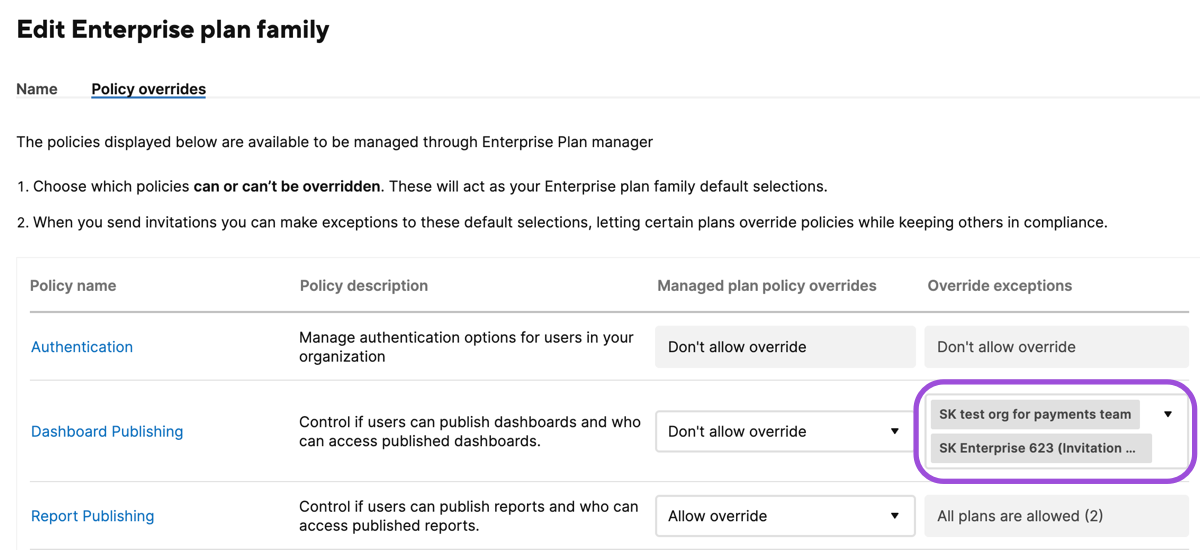
- Select Save.
Granting the override doesn't activate it. The managed plan's System Admin must turn it on from their own Admin Center before they can edit the policy (see Activate a granted policy override below). Policies that managed plans can't override display a Main plan policy indicator and stay view-only.
Activate a granted policy override
If the main plan grants your plan permission to override a policy, you still need to activate that override yourself before you can change the policy's settings.
- In Admin Center, navigate to Menu > Enterprise Plan Management.
- Select View Enterprise Plan Family.
Select View plan family policies.
Brandfolder Image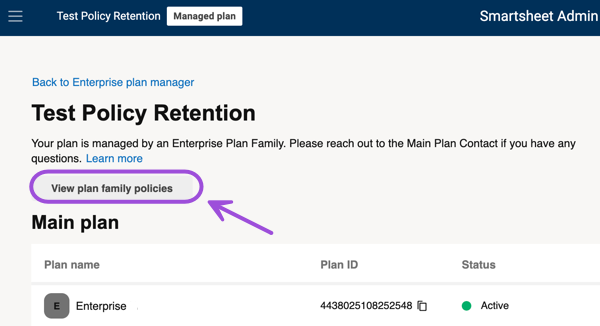
For each policy you want to customize, change its Managed plan override settings dropdown to Override and select Save.
Brandfolder Image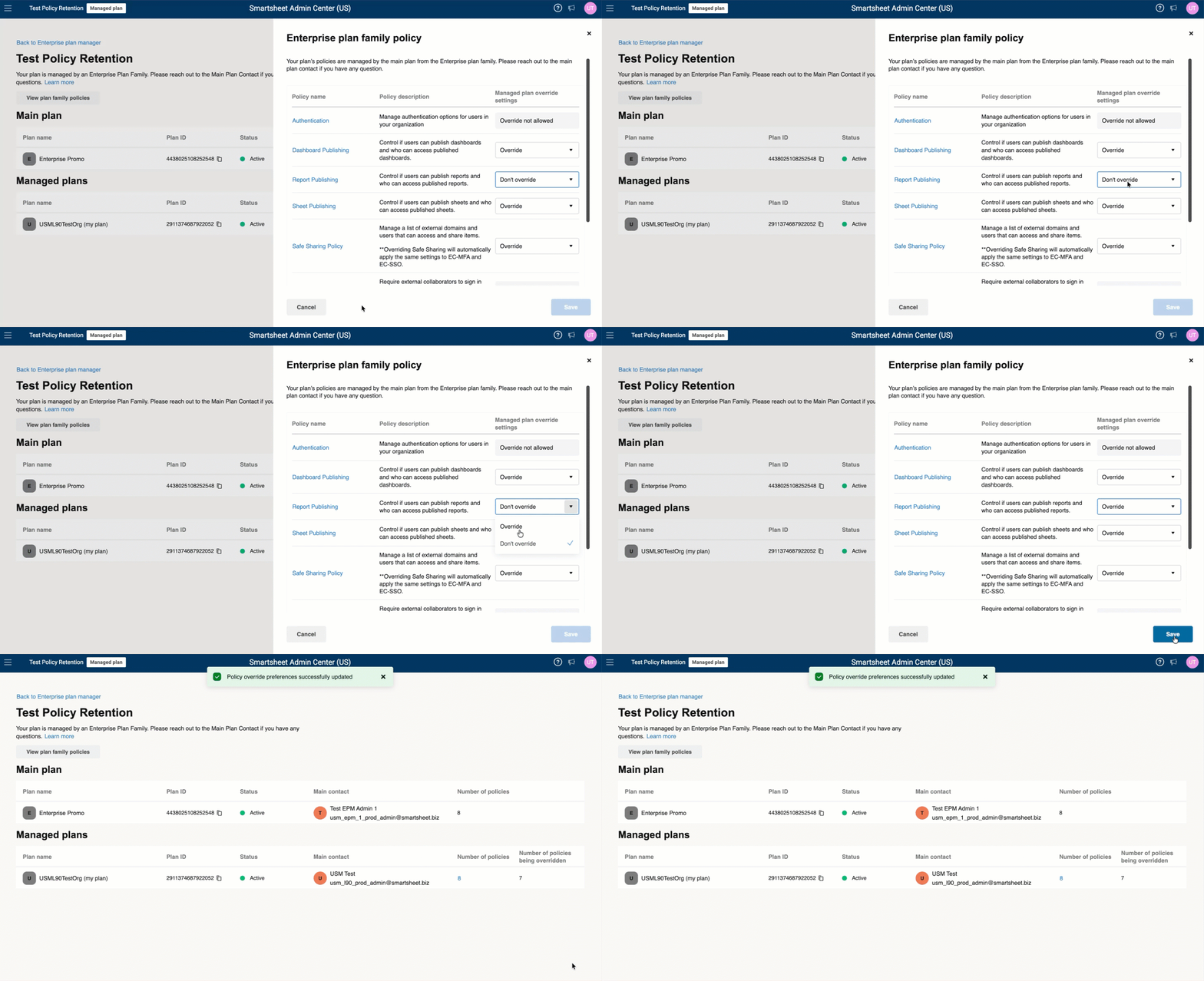
- Go to that policy's settings page (for example, Content and Chat Controls for publishing policies).
The policy now shows an Overriding main plan policy indicator, and its controls are editable.
Turning on an override doesn't change the policy's current value. It only unlocks the control, so you can set it yourself on the policy's own settings page.
Safe sharing with policy overrides
Even when override is enabled for safe sharing, the main plan's safe sharing list acts as a hard boundary:
- Any domain or email not on the main plan's safe sharing list can’t be shared to by anyone in the EPM family, even if that domain is on a managed plan's own list and override is enabled.
- Managed plan System Admins can view the main plan's safe sharing list in read-only mode.